


To view all users currently able to use databases, select Databases in the the mybox panel, and then MySQL Users.
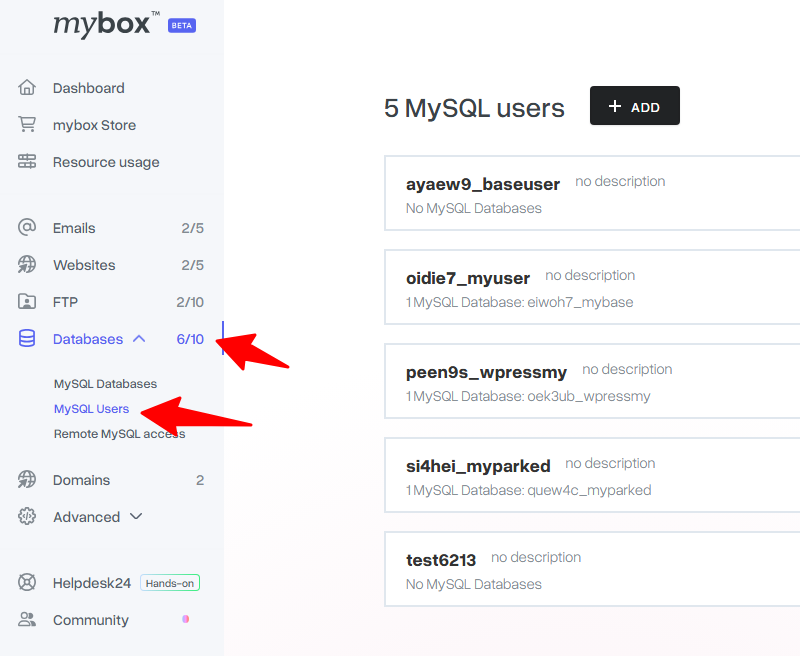
After performing this operation, you can change the password of the selected user by clicking on the link with this title and entering the new password in the form.


Remember that changing the password in the mybox panel does not update it in the configuration files of the pages!
Using the Actions menu on the right side of the user list, you can assign a database to the user or add a description to the user.

- Add description – allows you to create a short description of a given user, you can enter here, for example, which website the user is assigned to
- Assign database – You can assign a new or another database for the specified user.
- Delete – Permanently deletes the user. Deletion will not be possible if any database is assigned to the specified user.
- Clicking on the username or “Details” next to the username will bring up the details.
- General information – here you will find when a given user was created and from which IP address. The last operation is also displayed.

Connection data – all the necessary data to connect to the selected user.

Assigned databases – you can check which databases are assigned to the specified user. You can also specify permissions for individual databases or assign another database here.
