


Parking a domain means connecting a domain you already own to your mybox account. Once parked, you can configure your website and email settings in the mybox panel - before changing the domain’s nameservers. This lets you prepare everything in advance and switch traffic over when you’re ready, without any interruption to your current setup.
How to park a domain

Step 1 - Go to the Domains section Log in to your mybox panel and open the Domains section.
Step 2 - Add a parked domain Click +Add and select Park domain from the list.
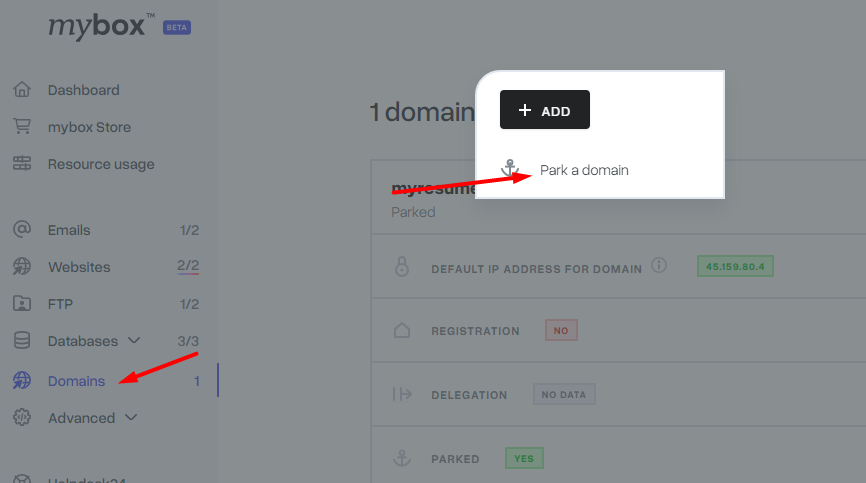
Step 3 - Enter your domain name Type your domain name and click “Park a domain” to confirm.

Step 4 - Update your nameservers Log in to your domain registrar’s panel (wherever you registered the domain) and update the nameservers to:
ns1.mybox.com
ns2.mybox.com
After the nameserver change, DNS propagation typically takes a few hours, though in some cases it can take up to 24 hours. During this time, your domain may resolve inconsistently depending on location.