


If you want to see a list of all the databases you have created, select Databases in the the mybox panel, and then MySQL Databases.
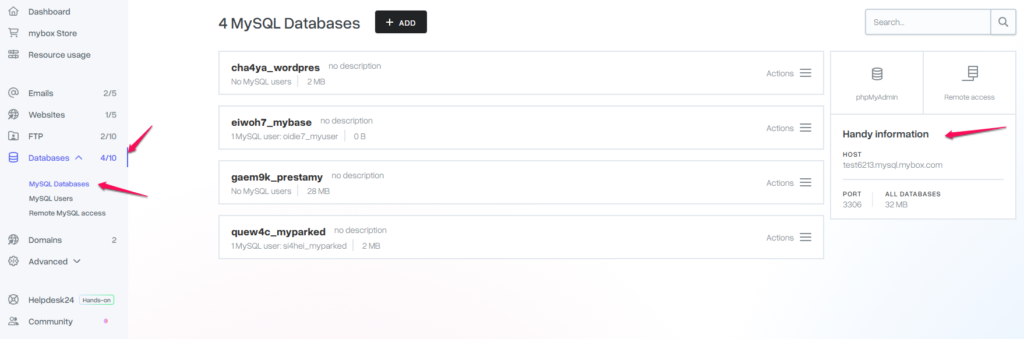
After clicking on the name of the selected database or the Details button, detailed information will be displayed.

General information – Here you will find when the selected database was created and from which IP address, what last operations were performed on it and when the last backup copy is available.

Data to connect – all the necessary data to connect to the selected database.
Assigned users – in this field, you can verify which database users are assigned to the selected database and what permissions they have. You can also manage permissions for the database here.
Backups – in this field you will find all the basic information about the available copies of the selected database.
Additionally, on the right side of each database, you’ll find an Actions button that will give you quick access to the most important options.
- Add a description – allows you to create a short description of a given database, you can enter here, for example, to which service the database is assigned.
- Assign user – You can assign a new or subsequent database user for the specified database.
- Refresh database size – Refreshes the database size immediately.
- Import from file – you can import any MySQL database.
- Make a backup – the button allows you to create an up-to-date copy of the selected database.
- Clear database – Deletes all database contents.
- Delete database – irreversibly deletes the entire database.