


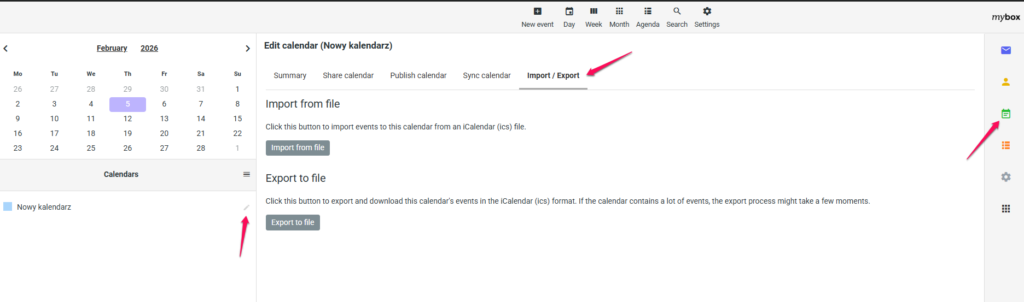
To import or export, go to your calendar after logging in to your inbox in mail.mybox.com. In the left column, hover over the calendar and click the pencil icon that appears on the right.
On the page that loads, you will find the “Import / Export” tab and within it the possibility to download or upload a calendar from a file in .ics format by clicking the “Import from file” or “Export to file” button.

After you do this, if you import a calendar, it will be added as tasks to the calendar on mail.mybox.com
And after exporting, your calendar will be saved in the file you created.