


After logging in to WebMail and going to tasks by clicking the orange icon , on the left you will find lists of tasks that have been previously created.
By clicking on the three dots in the task list column, you can add a new list or edit the name of an existing list.
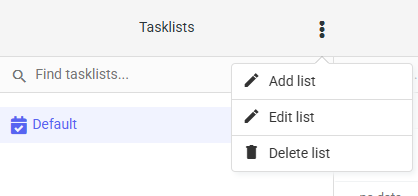

After selecting the option to add a new list, the system will ask for its name and whether you want to receive notifications related to this list by default. After completing the form, click the “Save” button to save the change and add the new list.

In addition to the edit option under the three-dot icon, you can also edit a selected list by double-clicking on its name.
