


The tasks module in mail.mybox.com allows you to create and manage task lists, i.e., to-do lists. It allows you to add, edit, and delete items, as well as set expiration dates and priorities.
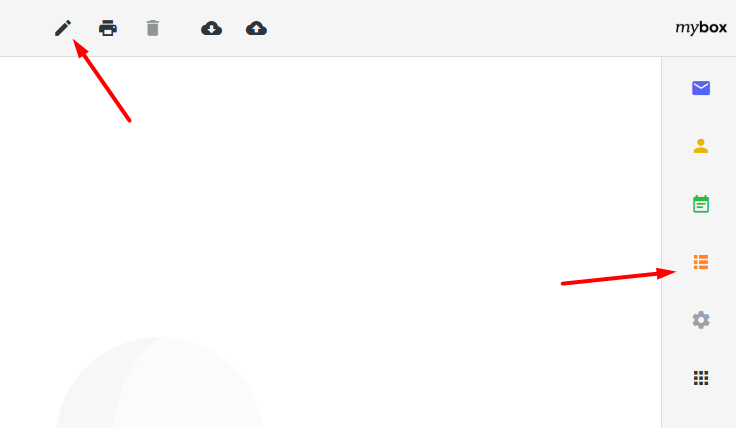
You will find the tasks after logging in to mail.mybox.com, select the orange icon from the menu on the right .
Table of Contents
New task

To create a new task, click the pencil icon at the top of the screen.
In the form that appears, fill in the Title and Description fields . If the task is to be completed within a specific time, select when it should begin by selecting the date and time under Start and the completion time under Due Date .

If required, you can use additional options such as a reminder to complete a scheduled task, e.g. 15 minutes before it starts.

You can mark the progress of a given task using the percentage slider.

Select the status of the task being performed: Open , In Progress , Completed or Canceled

Or assign them to one of the task lists you can create.

Cyclic tasks
When creating or editing a task, by going to the Recurrence tab , you can specify whether the task should repeat at a specific time interval.

From the drop-down list, you can choose to repeat the task every day, every week, every month, every year, or according to your own schedule.
Once you have finished filling out the form, click the “Save” button .