


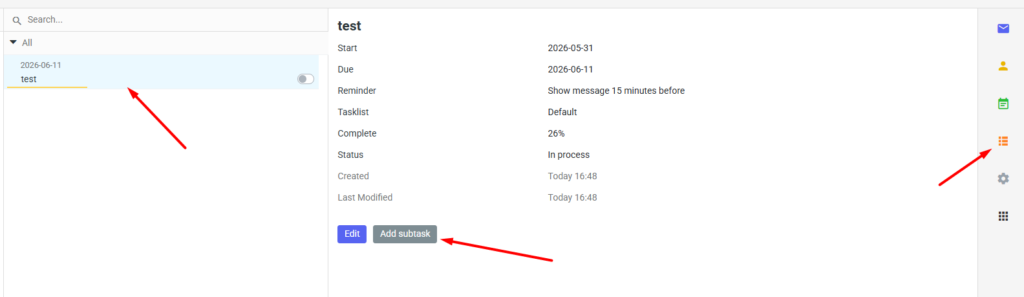
To add a new subtask, log in to your mailbox at mail.mybox.com and then click the orange icon on the right to go to your tasks.
Click on your chosen task. On the task description page, you’ll find the “Add subtask” button.

After the page reloads, you’ll see a form identical to the one used to add a new task. The difference is that this time, the added task has a parent.
Fill out the form and click “Save . “

Once the task list has reloaded, you will notice that there is now a drop-down list where subtasks are located under the main task (parent).
