


Activating the Redis server in mybox involves a few simple steps.
1. Log in to the mybox panel. How to Activate the Redis Server?

2. From the left-hand menu, go to the “Advanced” tab, and then “Redis”.
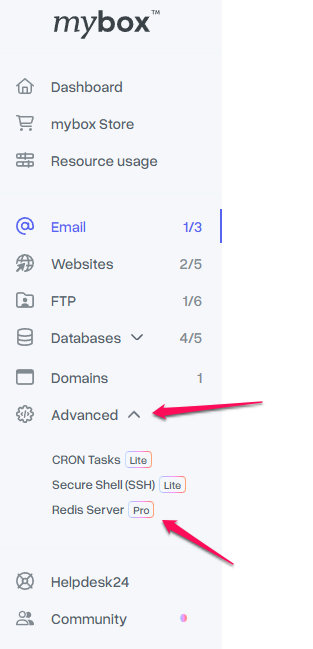
3. Click the green “Activate” button.
4. At this point, the Redis server on your account is now active.

You will also see the data required for its configuration. At mybox we give you access through socket.

If needed, you can also deactivate the Redis server.
Early Access
Redis is available in early access as a free add-on on One Box. On Flex Box and Prime Box, it is included - but these plans are not yet available now. Activation works as described above.