


To create a new Cloudflare account, go to https://dash.cloudflare.com/sign-up
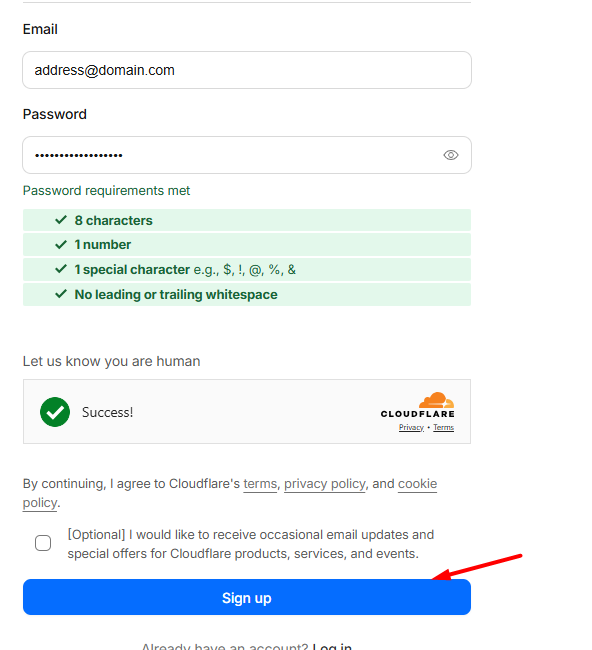
On the page that appears, fill in two fields. In the first one, enter the address of your email box, which will be used to log in to the Cloudflare panel from now on, and in the second one, enter what password you want to set for logging in. Pay attention to the password requirements, i.e. a minimum of 8 characters, the password must contain at least one digit and at least one special character.

After filling in the fields, click the Create Account button.
The last step will be to verify the email address provided when creating the coat. A message will arrive in your inbox with a link that you need to click on and thus finalize the creation of your account.
Good practices
If you’re creating an account for your business that will be used by more than one person, it’s a good practice to create a separate email box to log in to your Cloudflare dashboard beforehand. For example, [email protected]