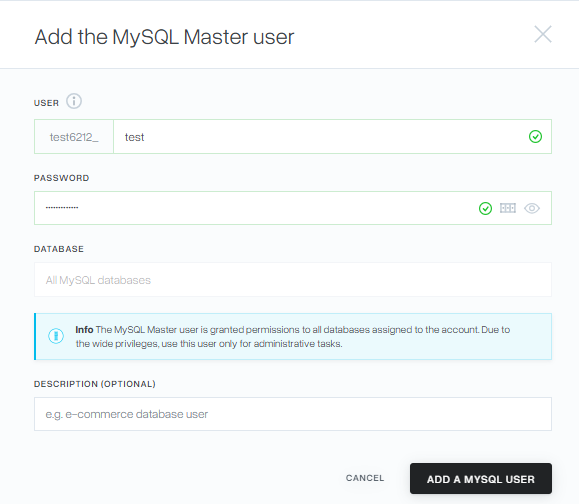
In some situations, particularly when managing multiple websites or transferring data between databases, it may be useful to have a single MySQL user with access to all databases associated with your hosting account.
A Master MySQL User provides this functionality, allowing you to use one set of credentials to connect to and manage all databases assigned to your account.

A Master MySQL User has extensive privileges across all databases associated with your hosting account. For security reasons, it should only be used for administrative tasks and by trusted users. Follow the steps below to add a master MySQL user:
1. Log in to the mybox panel and you will go to the “Databases” tab.
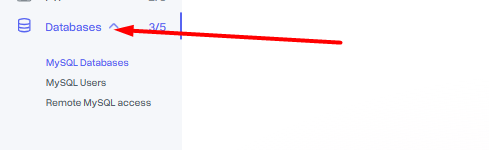
2. Then select “MySQL Users”.

3. On the page that loads, you will find a list of currently existing database users. Click the “+Add” button to expand the list of possible options.

4. From the expanded list, select “Add User (Master)”.

5. In the window that appears, specify the Master user login and define the password that he will be able to use. Click the “Add MySQL User” button to confirm the operation. That’s all.