


To add a new user, open the Databases module in the the mybox panel, then MySQL Users and click +Add. You will be able to choose whether to add a database user or a database user (master).
The MySQL Master user has been granted permissions to all databases assigned to the account. Due to their broad privileges, use this user only for administrative tasks.


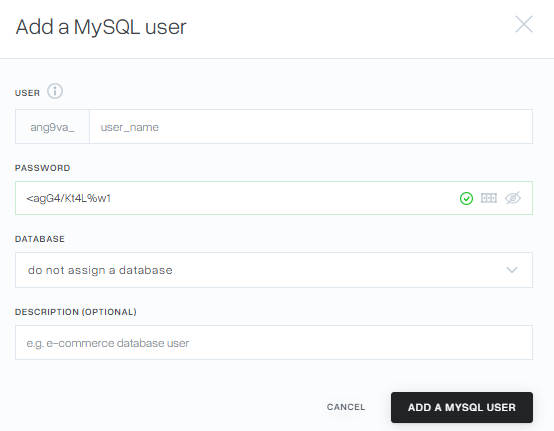
When selecting Add MySQL User, a form will be displayed where you need to define a username, password, and what kind of database you want to assign and with what permissions.
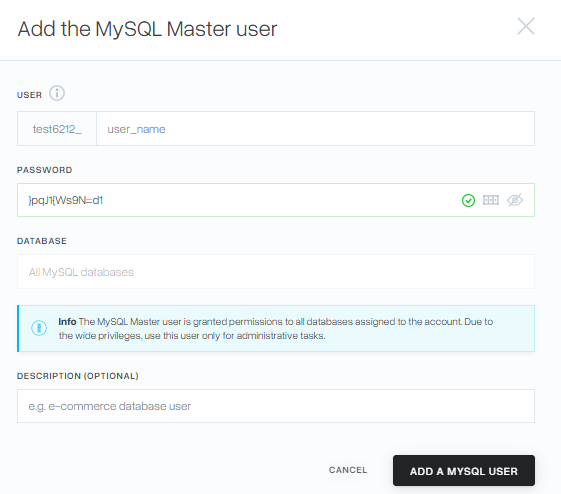
When selecting Add MySQL Master User, a form will also be displayed, with the difference that a suggested strong password appears and the login starts with the account name to the mybox panel.
The MySQL Master user has been granted permissions to all databases assigned to the account. Due to their broad privileges, use this user only for administrative tasks.
- Full – the user has permissions for each operation on the database.
- Read only – the user can only ‘view’ the database, they do not have permission to edit it
- Individual – the user has precisely defined permissions. The list of permissions is displayed after clicking on the Individual button.