


The mailbox password can be changed directly in webmail at mail.mybox.com - without accessing the mybox panel. This is useful when the mailbox belongs to a team member who manages their own credentials.
Table of Contents
Steps
- Log in to mail.mybox.com.
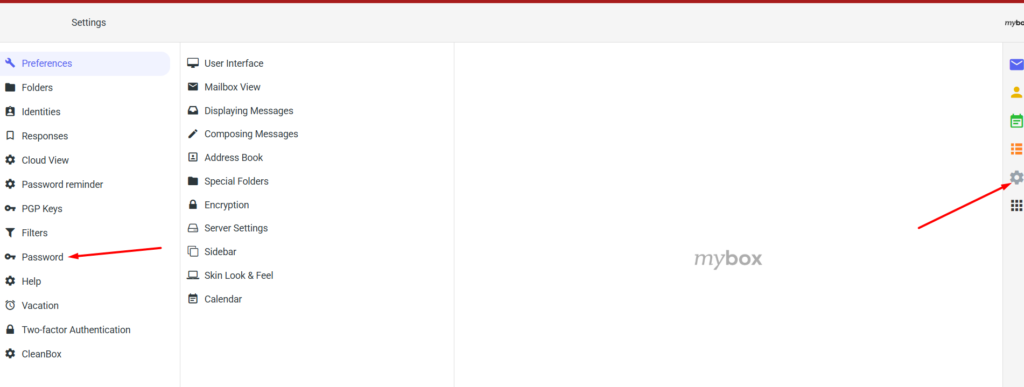
- Click the gear icon in the top-right corner to open Settings.
- In the left-hand menu, select Password.
- Enter the current password in the first field.
- Enter the new password in the two fields below.
- Click Save.
Password requirements
The new password must meet all of the following:
- At least 12 characters
- At least one lowercase letter
- At least one uppercase letter
- At least one digit
After changing the password

If the mailbox is also configured in an email client (Outlook, Thunderbird, Apple Mail, or similar), update the password there too. The client will otherwise fail to connect and stop sending or receiving email.
To change the mailbox password from the mybox panel instead, go to E-mail → Actions → Change Password.
Early Access
Password change via webmail is available in early access. Steps work as described above.