


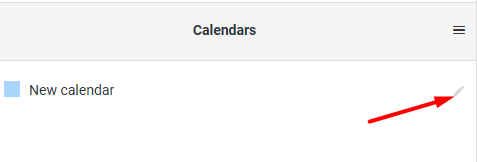
If you plan to use CalDav sync, log in to mail.mybox.com then go to the calendar page and click on the “pencil” icon on the right next to the calendar of your choice.
On the calendar edit page that loads, go to the “Sync” section. There you will find the item “Create a new connection”.
Fill in the name and password fields and indicate whether you want the communication to take place in full form or whether you want to allow read-only. When you’re ready, click the “Add” button.


Below the fields that have just been filled in, there will be access data, i.e. links – main and alternative and randomly generated username. The access password has been set according to the one you provided in the previous step.
