


WordPress does not include a built-in two-factor authentication (2FA) system by default. To add this security layer, you can use dedicated plugins that extend the login process with an additional verification step.
Table of Contents
What double verification means
Two-factor authentication adds an extra step during login. Even if a password is correct, access is not granted until a second verification method is completed.

This significantly improves account security.
How it works
After enabling 2FA, the login process becomes:
- enter username
- enter password
- complete second verification step
The second step can include:
- a code sent via email
- a one-time code generated by an authentication app
WP 2FA plugin
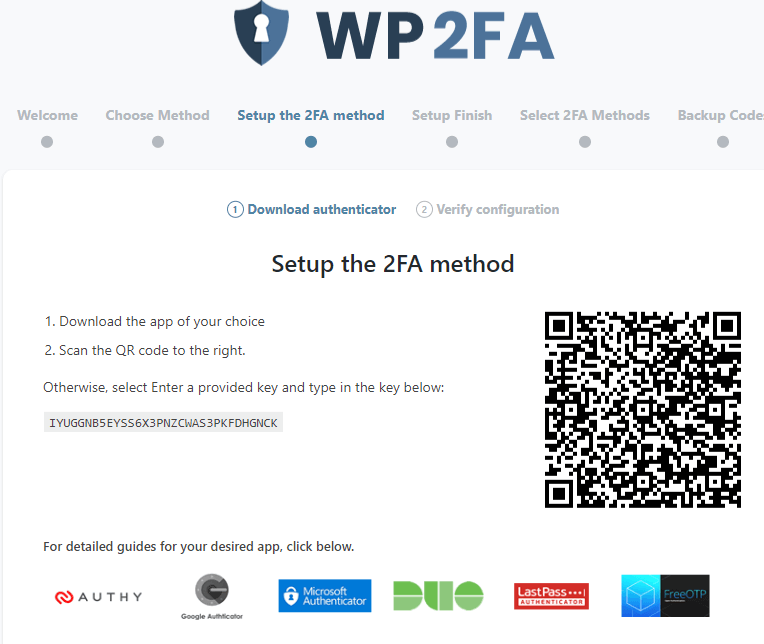
One of the commonly used solutions is the WP 2FA plugin.
It allows you to configure different authentication methods, such as:
- email-based verification codes
- authentication apps (e.g. Google Authenticator)
Depending on the configuration, users must confirm each login attempt using the selected method.
Practical implications
Enabling two-factor authentication helps:
- reduce unauthorized login attempts
- protect admin accounts from password leaks
- improve overall WordPress security
- add an extra layer of protection beyond passwords
Summary
WordPress double verification is implemented using plugins such as WP 2FA, which add an additional authentication step during login, requiring a one-time code or confirmation in addition to a password.