


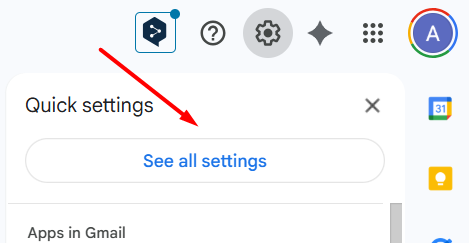
1. After logging in to “GMail” , click on the “gear icon” and then click on the “See all settings” button.
2. Select the “Accounts” tab.


3. Click “Add Email Account“.

4. In the window that appears, enter the name of the mailbox and click “Next”.

5. The next step will be to configure the defined mailbox.

- Username – enter the name of your mailbox,
- Password – enter the password for the e-mail box,
- POP server – enter pop3.mybox.com and set port 110,
Other settings can be completed as you wish.
6. If you have provided all the correct data, you will receive a confirmation of adding your account.
You can now decide whether you want to be able to send messages as an email inbox.