


By using the function of limiting the size of individual mailboxes, you will gain full control over your e-mail.
Table of Contents
Activation and management of postal quota
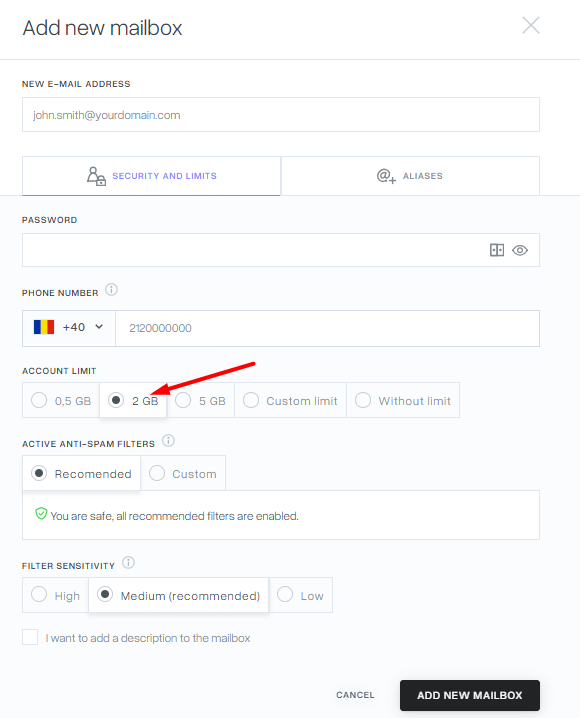
You can set a limit when you create a mailbox.

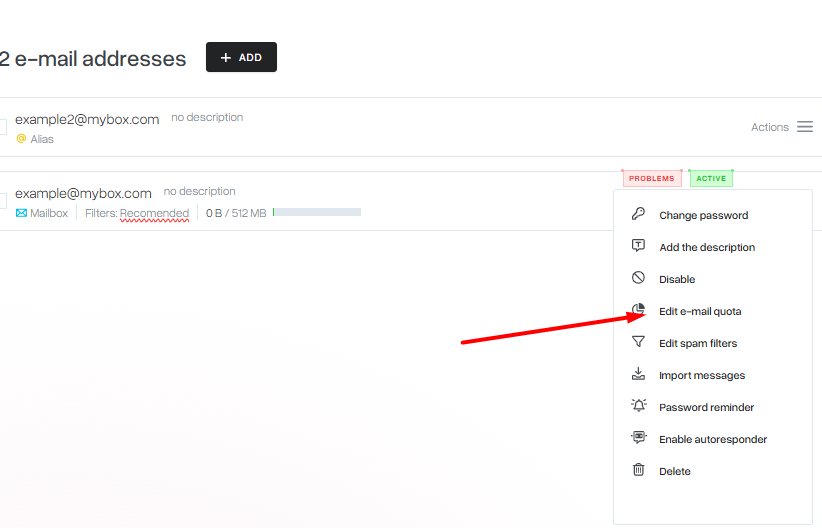
Another way is to impose a limit on an existing mailbox. To do this, click on “Actions” on the right side next to the selected box, and then select “Edit quote” from the expanded list.
A window will appear where you can define exactly what limit you want the mailbox to be. You can use the slider or select Specify your own limit and specify the space in GB.
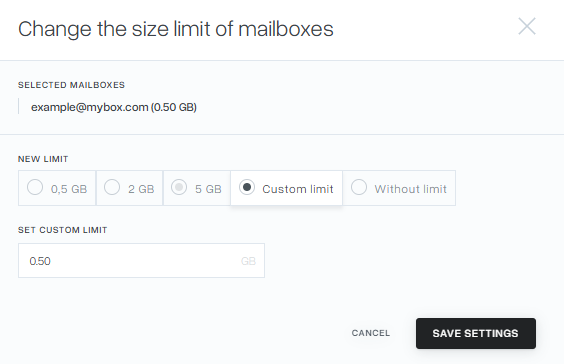
To save the changes, click “Save settings”.
Global mail limit management
In order to change the postal limit for all mailboxes, simply select the mailboxes through the checkboxes next to their name and select the button at the very bottom of the “Edit limits” list.

A window will appear where you can define the limit for mailboxes. You can use the slider or enter your own value after clicking Enter Custom Limit. Save the changes with the “Save settings” button.