


If you need to change the password for your email account but do not have access to the control panel, you can update it directly from the webmail interface.
Table of Contents
Changing Your Password
- Log in to your webmail account.
- Click the Settings (gear) icon.
- Select Password from the menu on the left.
- Enter your current password in the first field.
- Enter your new password in the New Password field.
- Re-enter the new password in the Confirm Password field.
- Click Save to apply the changes.
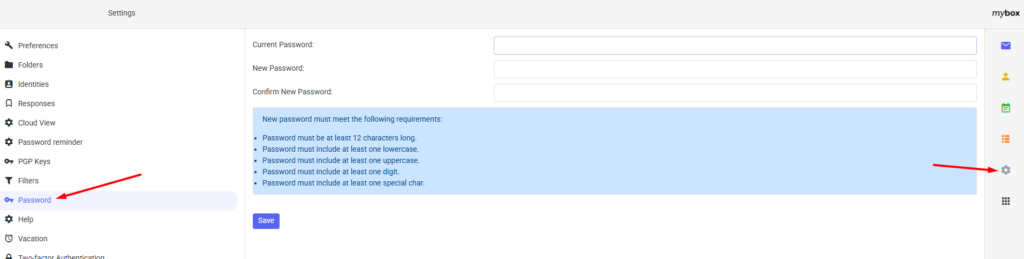
Password Requirements
To ensure the security of your email account, the new password must meet the following requirements:
- At least 12 characters long
- Contains at least one lowercase letter
- Contains at least one uppercase letter
- Contains at least one number

Once the password has been changed successfully, use the new password when accessing your mailbox through webmail, desktop email clients, or mobile devices.