


Sometimes, when preparing a website for a client or for the company you work for, you want the login form not to be standard. For WordPress, you can use the Custom Login Page Customizer plugin, which will allow you to personalize almost every aspect of your login form.
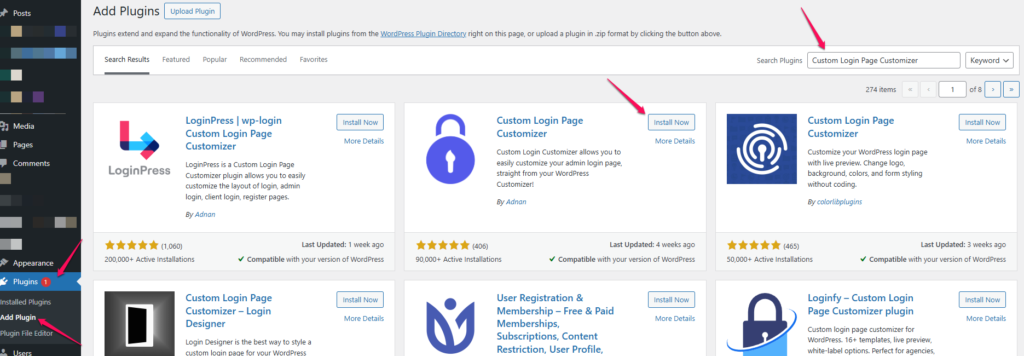
To install the plugin, log in to your WordPress backend, then go to the Plugins tab and add a new one there.

Then, in the search box on the right, type the name of the plugin and after a while you will get the result. Click Install, and then click Enable.
The first time you launch the plugin, it will ask you if it can collect additional data. If you don’t want that, just click the Skip button

Now you can start using the plugin. From the menu on the left, expand Login Customizer, and then go to Customizer.

After reloading the page, you will get options similar to those found in the default appearance customization tab, except that here you can customize the login form page, i.e. modify the colors, background, the form itself, the login button, or the fields where the login and password are entered. The possibilities are really big.