


An autoresponder is a feature that automatically replies to every email that arrives in your email account. This allows you to inform senders that you’re temporarily out of the office or on vacation.
Table of Contents
Activation
To activate the autoresponder for a specific email address, log in to the mybox panel and go to the mailbox list. Click the Actions button to the right of the mailbox name. From the drop-down list, select Enable Autoresponder.
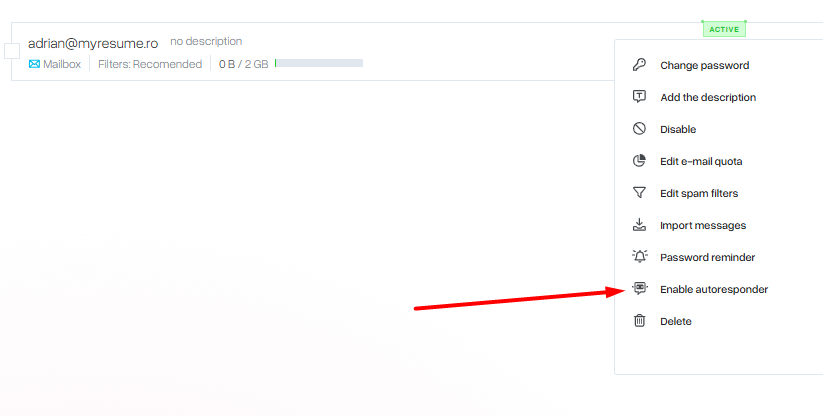

A simple form will appear with the option to set the subject of the automatic message, its content and when it should apply.

To save changes, click Save.
Deactivation
To disable the autoresponder, click the Actions button next to the mailbox name and select Change autoresponder from the list.

In the window that appears, use the slider to disable the option and save your changes. The autoresponder will no longer be active.

Autoresponder at mail.mybox.com
The autoresponder is available from mail.mybox.com. After logging in, select Settings under the gear icon, and then Autoresponder.

To disable it, select Disabled at the very top of the form.