


Thanks to the web analytics module that we offer, you can get to know the recipients of your website better. You will find data about your website in key areas of its operation, all without the need for additional integrations with external applications.
How do I activate analytics?
There is no additional cost to activate analytics. This is an option included in the price of the hosting you have.

To activate, after logging in to the mybox panel, go to the Websites section. There, in the list of websites you have, you will immediately find information where the analytics is already activated and where it is not yet. You can activate directly from the list by clicking the Activate analytics button.
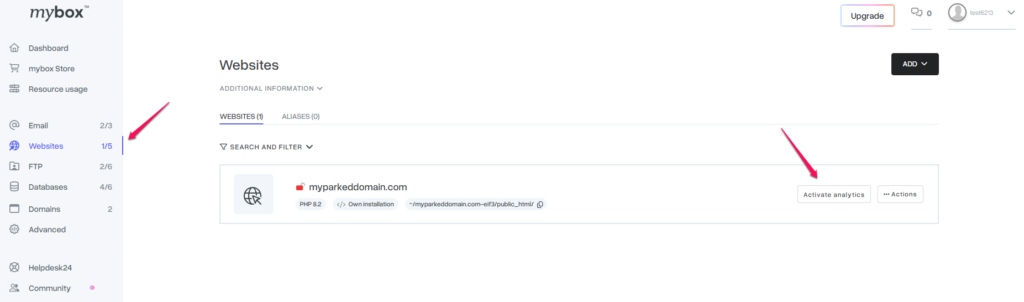
If you are already in the details of the selected website, you can also activate it by going to the Analytics tab and there either by using the slider at the top of the page or the Enable analytics service button.

After activating analytics, in the tab of the same name you will find information such as: number of visits to the website, number of views, unique users or popular links.
Keep in mind that analytics need to collect this data, so the information won’t be visible immediately after activation.