


If just after installing a store based on “PrestaShop” you noticed that some elements are displayed in Polish, while others are randomly displayed in English, it means that you need to update the language.
1. Log in to the backend of your store using the data you received right after the installation from the the mybox panel.

2. Once logged in, go in the menu on the left to “International” and select “Translations”.
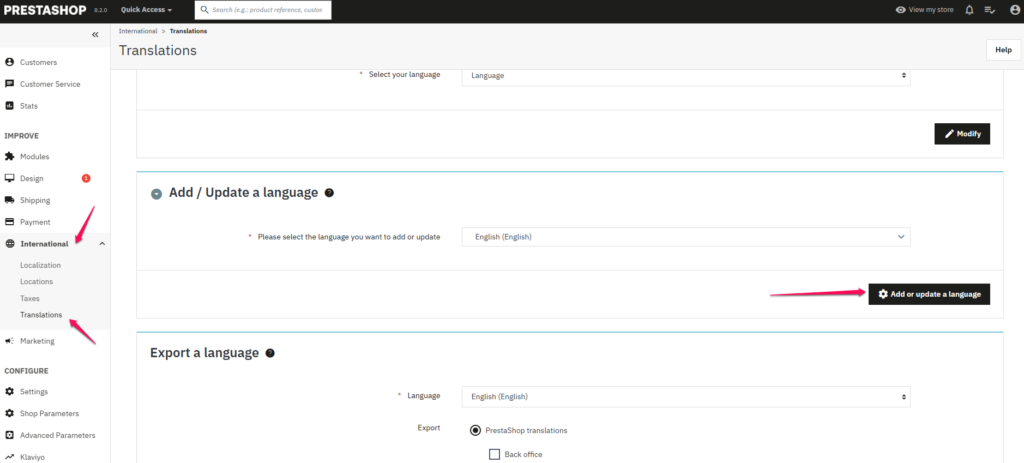
3. On the page that appears, find the “Add / Update a Language” tab and without changing the language in the drop-down list, click on the button on the right that will perform the update. Click the button once and wait for a while for the page to reload. The process can take from a few to several seconds.
4. After the page is reloaded, the tab in which the ordered action should be fully in Polish. This confirms that the update was performed correctly.