If you use webmail at mail.mybox.com as the main application for your mailbox, and you need to set up a signature in HTML format, i.e. containing formatted text or graphics.
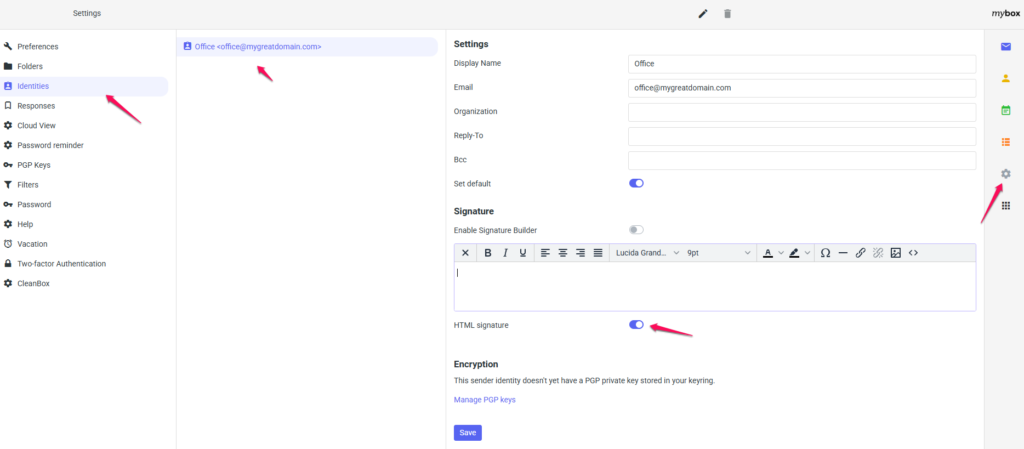
1. Log in to your inbox and go to the settings tab in the first step.

2. Then, from the left side of the screen, go to the “Identities” section, then click on the name of your mailbox.
3. On the right side of the screen, the settings will appear, where, among other things, you will be able to define the default format of the signature attached to the messages you send and its content.
Make sure the “HTML Signature” option is marked as active, enter the content of your signature and click the “Save” button