


If you no longer need a mailbox, plan to clean up, or want to change ownership, you can use the option to clear its contents. This is an order that will delete all content.
1. After logging in to the mybox panel, go to the “Email” section in the menu on the left, then select the mailbox and expand the “Advanced” tab.
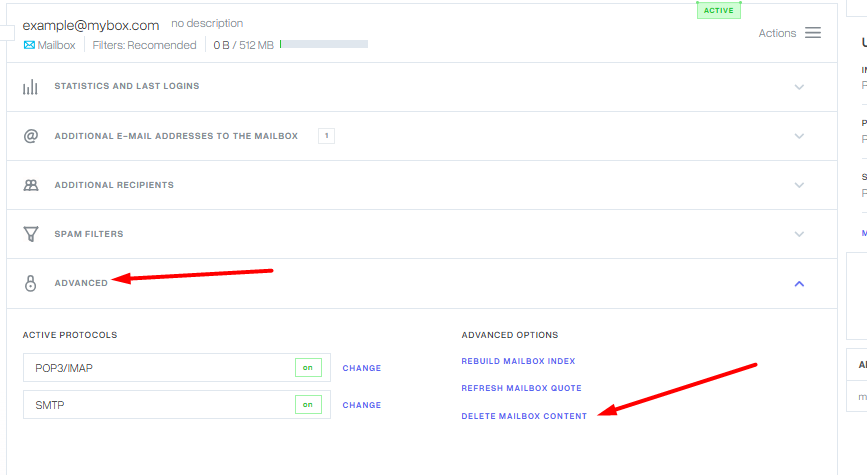

2. On the right, you will find a column with additional options and there is a link “Clear contents of the box”. After clicking on the link, the system will ask you if you are sure you want to take such an action.

Remark!
When using this functionality, you must be aware that the option of recovering the contents of the cleaned mailbox may not be possible.