


Sometimes the script or plugins of the CMS scripts used communicate that the currently active version of PHP is not correct or too old.
Then, if necessary, you have the option to change the PHP version from the the mybox panel.
1. Log in to the mybox panel and go to the “Websites” section.


2. On the page that opens, you will find a list of websites associated with your customer account. On the right side of each of them there is a “Actions” button.
Click on it, then select “Edit Settings” from the drop-down list.

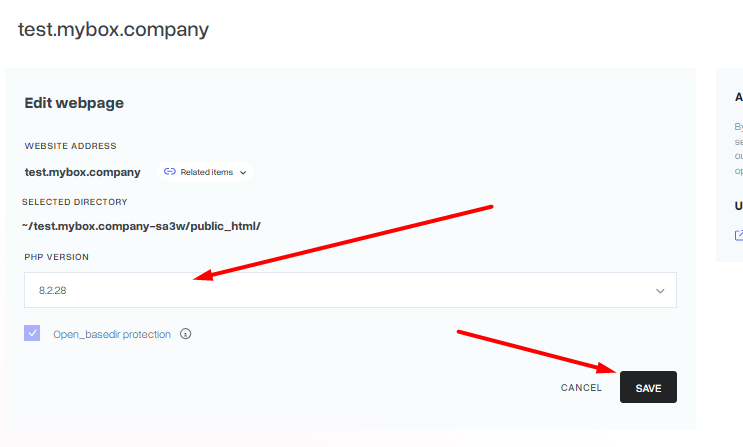
3. In the window that appears, you will find a drop-down list of currently available PHP versions.
Select the version you want to use from it and save the changes by clicking on the “Save” button.
Keep in mind that the change will not be immediate. As a rule, the system will refresh the settings after about 5 minutes after saving the changes.
Keep in mind that not always the latest version of PHP will be the best for the CMS script you are using. Very often, changes / differences between individual PHP versions can cause conflicts both in the operation of the CMS script itself, but also in the operation of the add-ons / plugins used. Before making changes, make sure that your script is prepared to support the PHP version in question. If necessary, you can of course go back to the version that was set before.