


By default, “WordPress” does not allow you to change the username that was created during the installation process. This type of change may become necessary when, for example, a website changes ownership, or for security reasons you want to make the login more complicated.
When you go to the “Users” section on the “WordPress” backend and there “Profile” you will receive a message that usernames cannot be changed. Below we will introduce you to the use of a plugin that will make this possible.
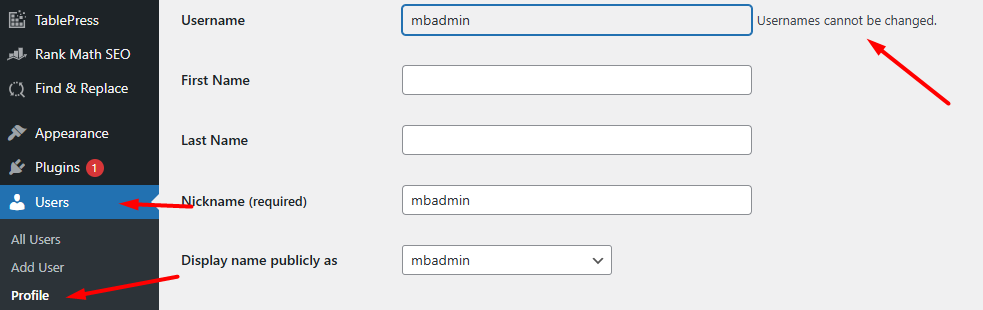
Table of Contents
Installation

Once you’ve logged in to the “WordPress” backend, go to the “Plugins” section and then select “Add New.” On the right, in the search box, type “Username changer”. After a while, search results should appear, and among them the plugin we are interested in. Click the “Install” button, and after a while, when the button status changes, activate the plugin by clicking “Enable”. Once activated, the plugin does not require any additional configuration.

How do I change my username?
On the “WordPress” backend side, go to the “Users” section, and select “Profile” there. On the page that loads next to the username, where originally there was information that the item cannot be edited, you will now find the “Change username” link – click on it to activate the edit option.

The username field becomes editable. Enter the new name and click “Save Username” to save the change.

That’s all. You can now enjoy your new username.
Remember that from now on, the new username that you have set will be used to log in to the backend of your website based on “WordPress”.