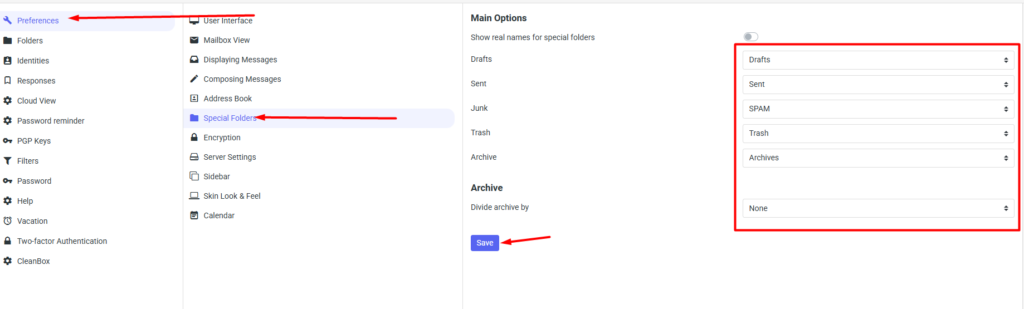
If necessary, you have the option to modify special folders at the webmail level at mail.mybox.com. Please note that the folder that cannot be changed is the inbox, i.e. the incoming mail folder.
To change folders, after logging in to your mailbox, click on the gear icon on the right and go to the settings.

Then, from the column on the left, select Preferences, then Special Folders.
Once the list loads, you will have the option to change folders for drafts, sent messages, spam, trash and archive.
Once you have made your selection, click Save to save your changes.