


Cloudflare integration in mybox allows you to manage DNS and protection settings through a connected Cloudflare account. Access to the Cloudflare panel requires authentication using credentials or an access token.
Table of Contents
Where to find Cloudflare access information
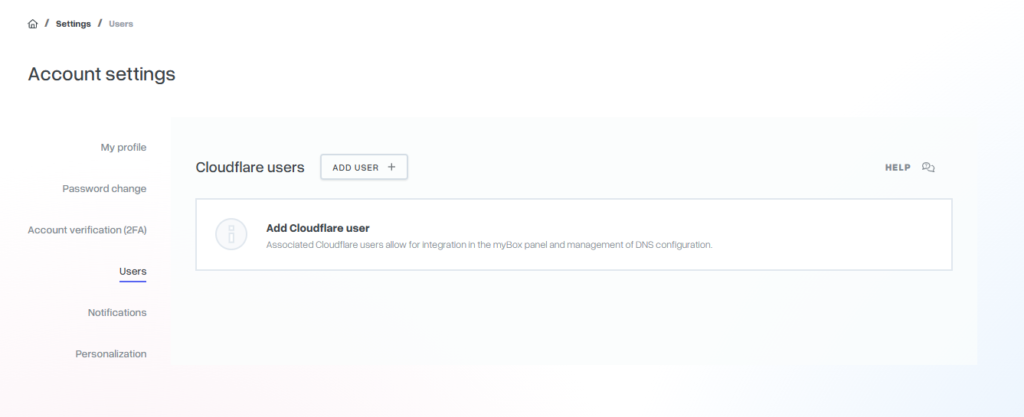
You can find your Cloudflare-related user details in the mybox panel:

Go to the Users tab on the right side of the mybox panel.
In this section, you can add a Cloudflare user or will see your username associated with Cloudflare integration if you already have one added.
How Cloudflare authentication works
To log in to the Cloudflare panel, you must provide a valid access token.
This token is required to authorize the connection between mybox and Cloudflare services.
Summary
Cloudflare access details are available in the Users section of the mybox panel. Authentication is performed using an access token, and additional assistance is available through the mybox 24/7 Helpdesk.