


Table of Contents
How to add an email inbox
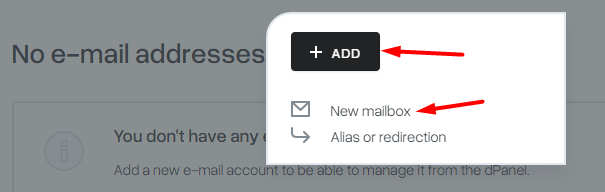
After logging in to the mybox panel, select the “Email” tab, then the “+Add” button and the “New Inbox” option.
A form will be displayed, where you can specify exactly what parameters the mailbox should have. Additionally, you will have three categories of creating a box:
Protection and limits

Enter the name of the mailbox and the password for it.
You can enter a mobile phone – it is used only to send a password reminder or generate a new password for the mailbox.
Set a limit on the size of the box and specify what level of security you want the box to have.

Aliases
When creating a mailbox, you can immediately define what email aliases you want it to have.

Delete an email inbox
To delete a mailbox, click the “Actions” button to the right of the selected domain and select “Delete”.


This will irreversibly delete the selected email box and all associations with it.
