


The A record located in your domain’s DNS zone determines which IP address you want your domain to point to. This is the main record on which many others are based, including, for example, CNAME records that specify the settings of subdomains, which also include the address with the www prefix of your domain.
Looking for your account IP in mybox.com?
Log in to the mybox panel, then go to the Domains section in the menu on the left. Click on the domain of your choice and after expanding the details, you will find the IP associated with it
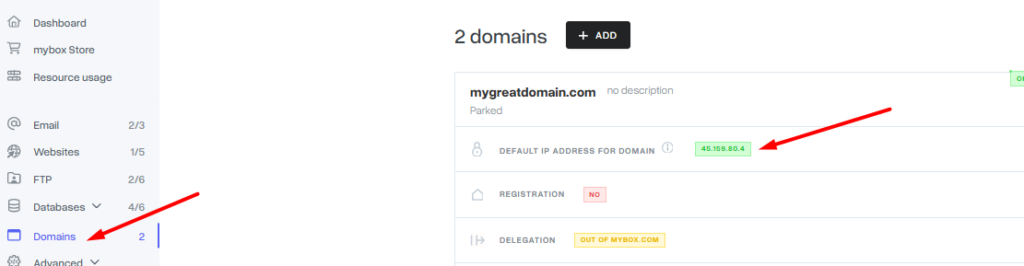

In a situation where the domain is not delegated to mybox.com servers, and the website is to run from our servers, the IP address that needs to be entered in the zone of another service provider can be found in the settings previously parked in the mybox panel of the domain. Instructions on how to park a domain can be found HERE.