


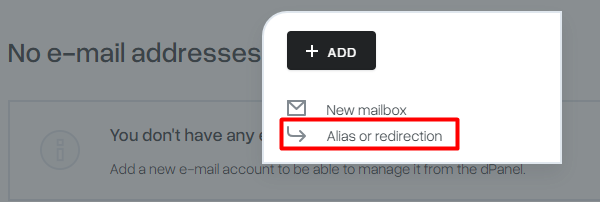
To add a new alias, select “Email” from the menu in the mybox pane, then click the “+Add” button, and then select the “Alias or redirect” option.
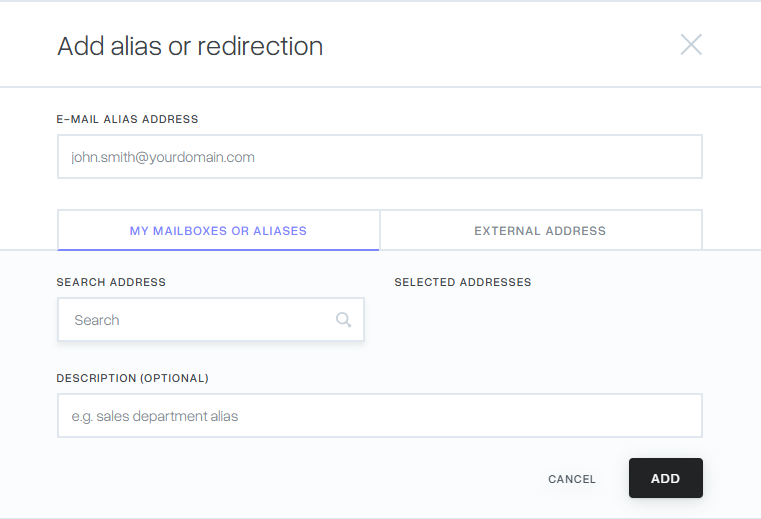
Then a window will be displayed where we can define the redirection.

Enter the name of an existing mailbox or enter a new name. Then click on the “External address” option and enter the name of the mailbox located with another operator.
The new email alias will appear in the list along with the email boxes with the description “Alias” under their name. After clicking on the alias name or the Details button, we will be presented with the possibility of seeing where the messages are redirected, just click on “Recipients”. It will also contain information when a redirect to a specific address was created.