


To get the authinfo code for a domain registered with Cloudflare, log in to the control panel, then select Domain Registration and Manage Domains from the menu on the left. From the list of registered domains, select the one for which you want to get the authinfo code and click the Manage button.
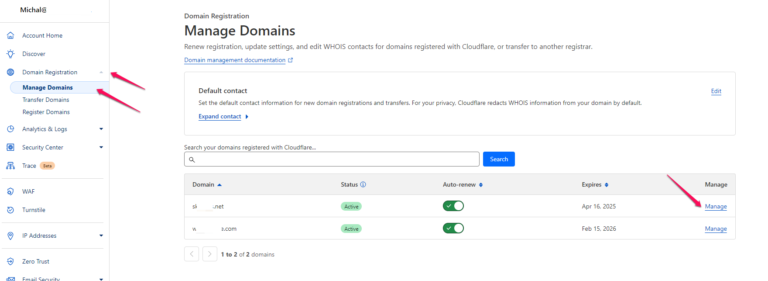
On the page that appears, select the Configuration tab and in the Transfer to another registrar section, click the Get Code button.


In the pop-up window that appears, you will receive an authinfo code that you can copy and enter when requesting a transfer with your new service provider.
