


When connecting external web utilities, automated DNS management scripts, or server-side caching modules to your Cloudflare network layer, you will often need an account identifier token.
The Global API Key acts as a master cryptographic token that grants administrative access to your entire Cloudflare profile workspace, including zone settings, firewall configurations, and domain records.

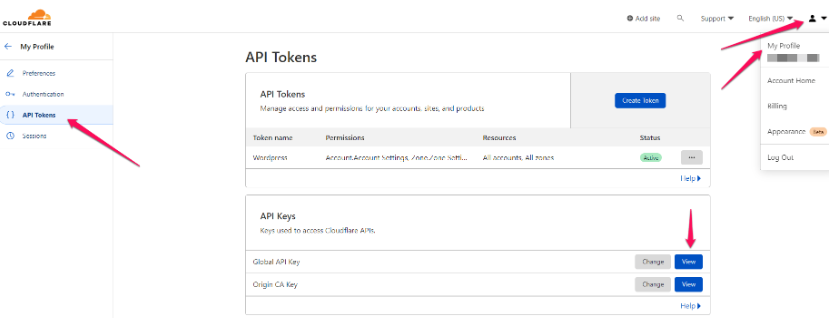
Once you’ve logged in to your Cloudflare account, click on the user icon in the top right corner and select My Profile from the list that appears.
Then, on the left, click on API tokens and on the page that appears, click the View button next to the Global API Key.
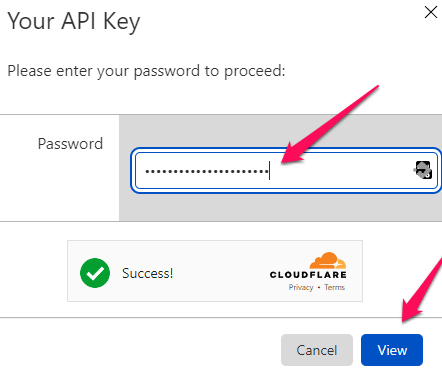
Once you enter your password, the system will show you the API key. Copy it and keep it in a safe place.
