


To redirect mail to another service provider, you need to:
- Log in to the mybox panel
- Go to the “Domains” tab
- Click on the “Actions” button to the right of your domain name and select “Manage DNS” from the list
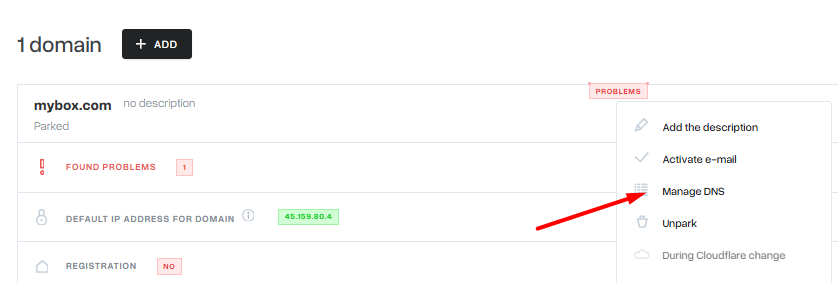
- Next, you should click on the ” Actions” menu while already in the DNS zone management and select “E-mail redirection” and then who you want to redirect mail to.
