


Changing DNS records
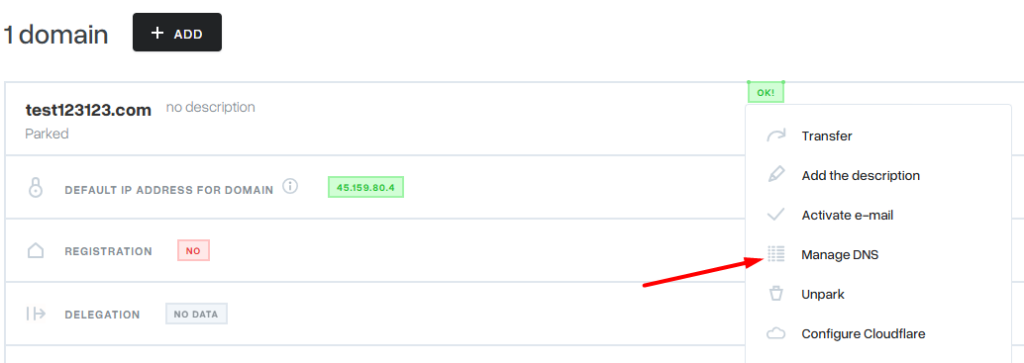
To view the list of DNS records assigned to a domain in the mybox panel, open the Domains module and next to the domain whose DNS records will be modified, select Actions, and then Manage DNS.
After entering the Manage DNS tab, it will be possible to change the DNS parameters.

Updating the information in the DNS system depends mainly on the settings of the individual DNS servers and can take up to 24 hours. The global DNS system is self-regulating, and hosting providers have no influence on the speed at which individual DNS operators update entries.