


If you plan to change your mybox panel access password, click on your name and surname in the upper right corner, then select “ Settings” .
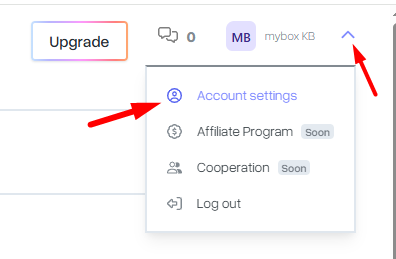
On the settings page, select the Change Password tab , then enter your current and newly chosen passwords.

Confirm the change by clicking the Change password button .

If you forget your mybox panel password, there are several ways to recover it. The easiest way to recover your password is to use the password recovery option available at https://panel.mybox.com/. Click the appropriate link below the mybox panel login form. The information required to recover your password this way is:
- account login (you can find it on invoices, among other things)
- e-mail account

Another way to recover your password is to write to us at [email protected] from your profile email address.