


From the the mybox panel level, you have the option to change the password for all services available in mybox.com. In order to change your password, you must be logged in to the mybox panel.
To change the password to:
Table of Contents
E-mail boxes:

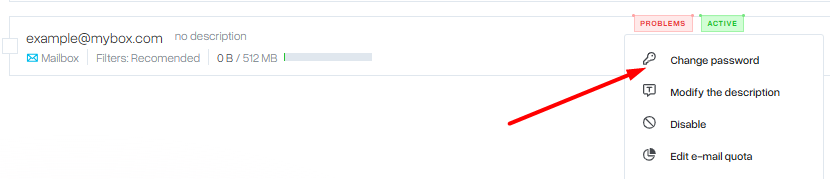
Log in to the mybox panel. Then, go to the “Email” section. Next to the selected account, select the “Actions” button and there the “Change password” option.
FTP Account:
Log in to the mybox panel. Next, go to the “FTP Accounts” section. Click on the “Actions” button next to the selected account, then select “Modify”.

Then, in the window that appears, you will be able to enter a new access password.

MySQL database user:
Log in to the mybox panel. Next, go to the “Databases” section, then to “MySQL Users”.
On the page that appears on the right side next to the selected database user, click the “Change password” button.
